Logo app icon
For iPhone & iPad · Educational

Draw with code. Learn by doing.

Logo brings the classic turtle graphics programming language to iPhone and iPad. Write a few commands, watch a turtle paint the screen, and discover the joy of programming.

Download on theApp Store See features →
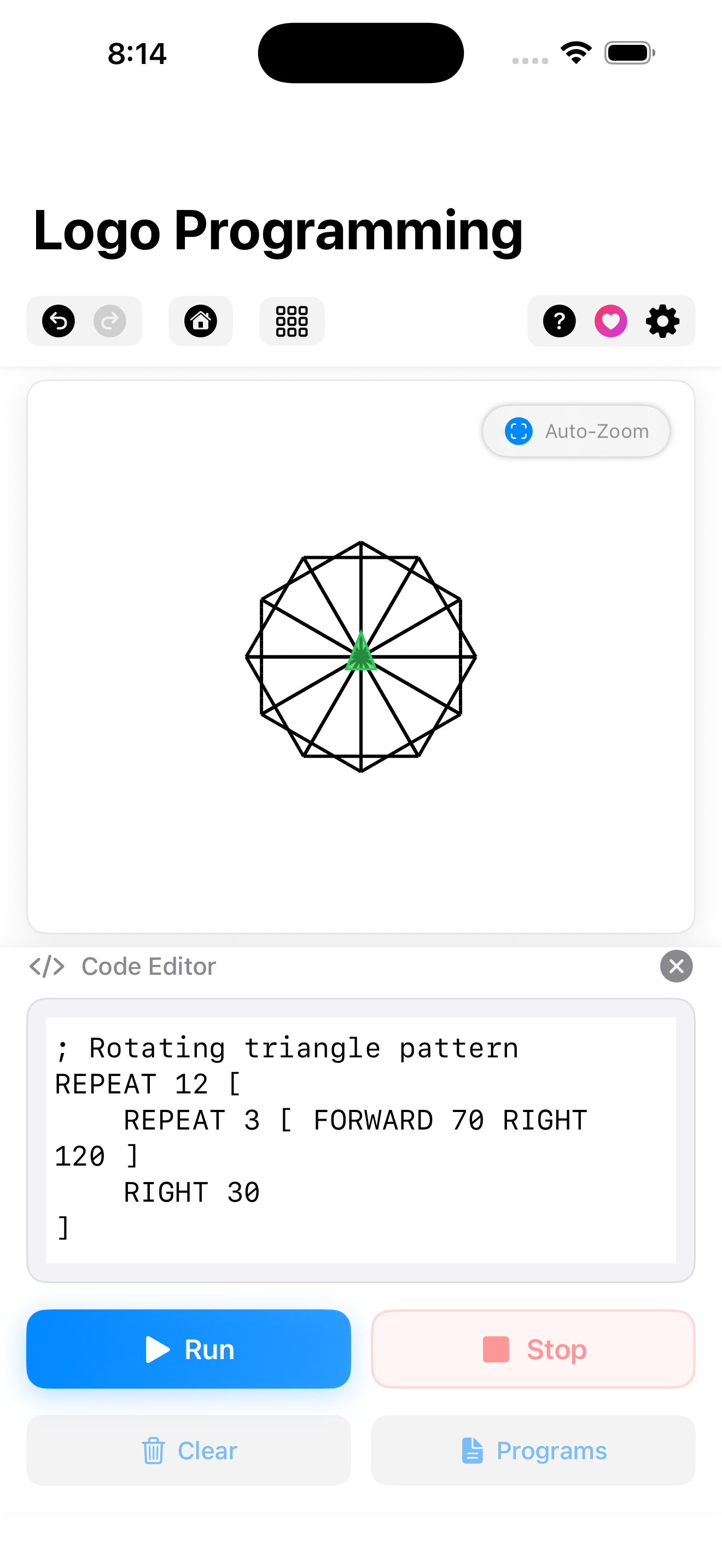
; Draw a colorful flower REPEAT 36 [ REPEAT 4 [ FORWARD 80 RIGHT 90 ] RIGHT 10 ]
Logo canvas with animated turtle drawing geometric art on iPad
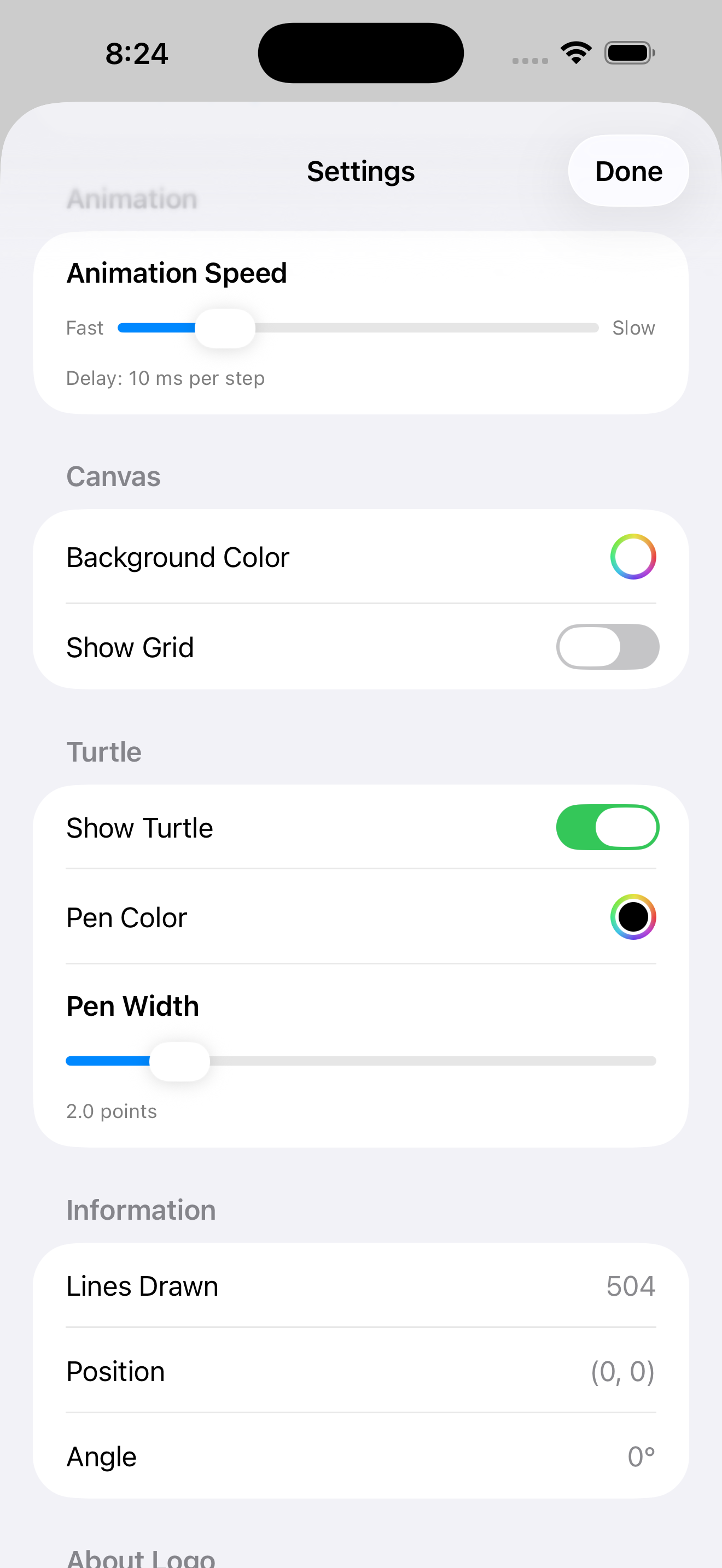
Logo code editor with syntax highlighting on iPhone
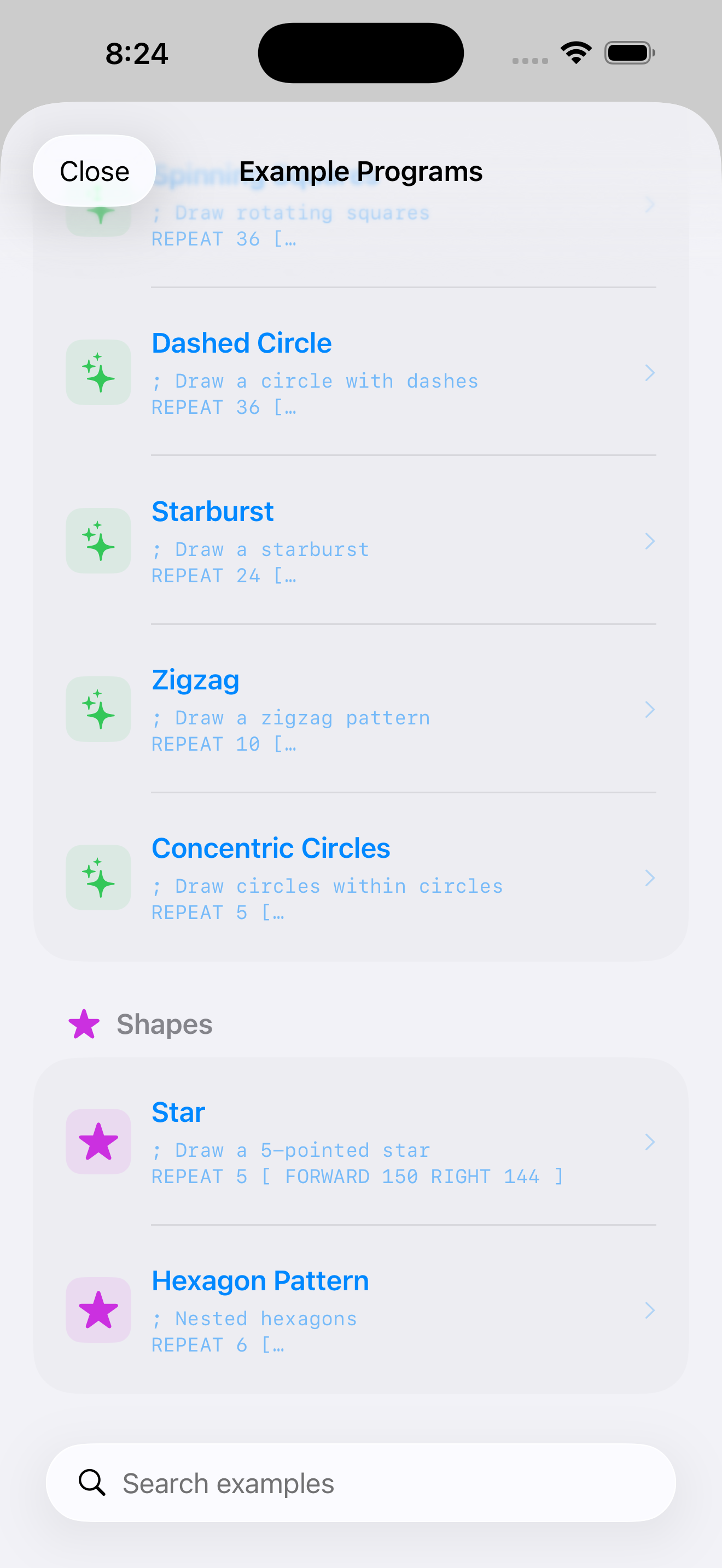
Built-in examples library in the Logo app
Logo
Turtle graphics programming for learners
iPhone · iPad · No ads, no tracking
Get

Everything you need to learn to code visually.

Logo is designed for students, educators, and curious beginners. Simple commands, instant feedback, beautiful results.

Classic turtle graphics

Move a turtle around the screen with FORWARD, RIGHT, LEFT, and BACK. See your code come alive.

Syntax highlighting

Code is colorized in real time, so commands, numbers, and comments are easy to read.

25+ built-in examples

Spirals, flowers, polygons, fractals — load a program and tweak it to make it your own.

Instant visual feedback

Adjustable animation speed. Watch each step, or run the whole program in a flash.

Undo & redo

Experiment fearlessly. Step backwards and forwards through your changes with confidence.

iCloud sync

Your saved programs follow you across iPhone and iPad automatically and privately.

Color & pen control

Pick pen colors, line widths, and background colors. Make geometric art that pops.

Built-in guide

A friendly reference for every command — perfect for classrooms and self-learners.

Loops & geometry

The REPEAT command turns simple ideas into intricate patterns. Math becomes visible.

No ads. No tracking.

Logo is built for learners. No third-party SDKs, no subscriptions, no nags.
Small command set. Endless possibilities.

The same primitives that powered classroom Logo since 1967, polished for touch.

Movement

FORWARD · BACK · RIGHT · LEFT · HOME

Pen control

PENUP · PENDOWN · SETPENCOLOR · SETPENWIDTH

Loops

REPEAT

Comments

; like this

Saved programs

Save · Search · Load

Canvas tools

Grid · Backgrounds · Turtle skins

Built with care. Tips welcome.

Logo's full functionality is available to everyone — no subscription, no unlock screens. If it helped you learn or teach, you can leave a tip directly in the app.

Coffee 🚀Support 🌟Generous

Your data stays yours.

Logo is designed to be safe for students of every age. No accounts, no analytics, no tracking.

No accounts

Open the app and start coding. No sign-in, no email required.

No tracking

No analytics SDKs. No ad networks. No usage telemetry.

Your iCloud

Sync stays inside your private iCloud account. We can't see your code.

Kid-safe

No collected data, ever. Designed to be appropriate for learners of all ages.

Common questions.

Who is Logo for?

Students learning to code, educators teaching programming, parents introducing kids to coding, and anyone curious about how computers turn instructions into pictures.

Do I need any programming experience?

None at all. Logo's commands are plain English — FORWARD 100, RIGHT 90, REPEAT 4 — and you'll be drawing shapes within minutes.

Does Logo work on iPhone and iPad?

Yes. Logo is universal and runs natively on both, with iCloud sync to keep your saved programs in step across devices.

Are there any in-app purchases?

Only optional tips. They never unlock features. Logo's full functionality is available to everyone with no purchase required.

What commands are supported?

Movement (FORWARD, BACK, RIGHT, LEFT, HOME), pen control (PENUP, PENDOWN, SETPENCOLOR, SETPENWIDTH), and loops (REPEAT), plus comments for documentation.

Get in touch.

Questions, feedback, classroom ideas, or a command you'd love to see? I'd love to hear from you.

Contact me

Usually a reply within 1–2 business days.

Ready to draw with code?

Logo is on the App Store for iPhone & iPad.

Download on theApp Store